

GPS Trackers with Geofencing: How They Work
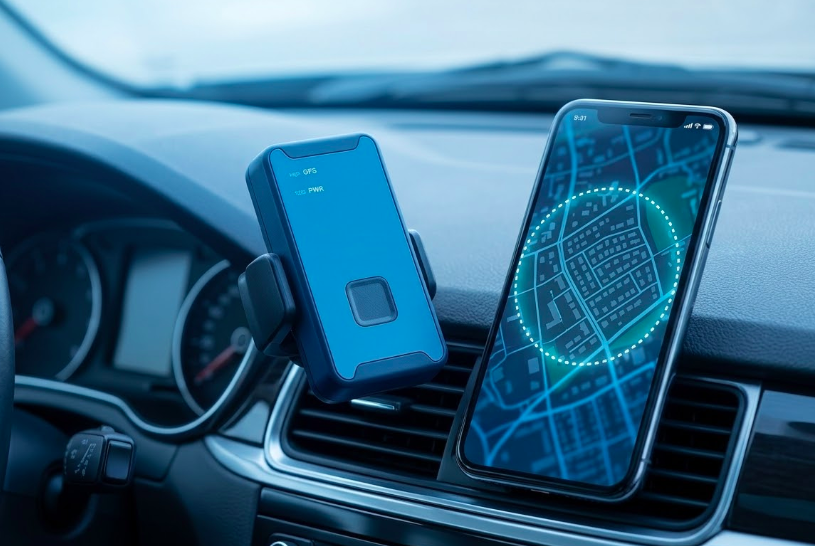
Ever wish you could get an instant alert the moment your vehicle, equipment, or loved one crosses a boundary you've set? That's exactly what a GPS tracker with geofencing does. Geofencing lets you draw a virtual boundary on a map, around your home, job site, school, or warehouse. The moment your tracker crosses that line, you get an instant notification on your phone.
It's being used by parents tracking teen drivers, fleet managers monitoring delivery trucks, and business owners protecting their equipment, all in real time.
In this guide, we'll explain exactly how GPS trackers with geofencing work, and how you can use them to protect what matters most.
What Is a Geofence on a GPS Tracker?
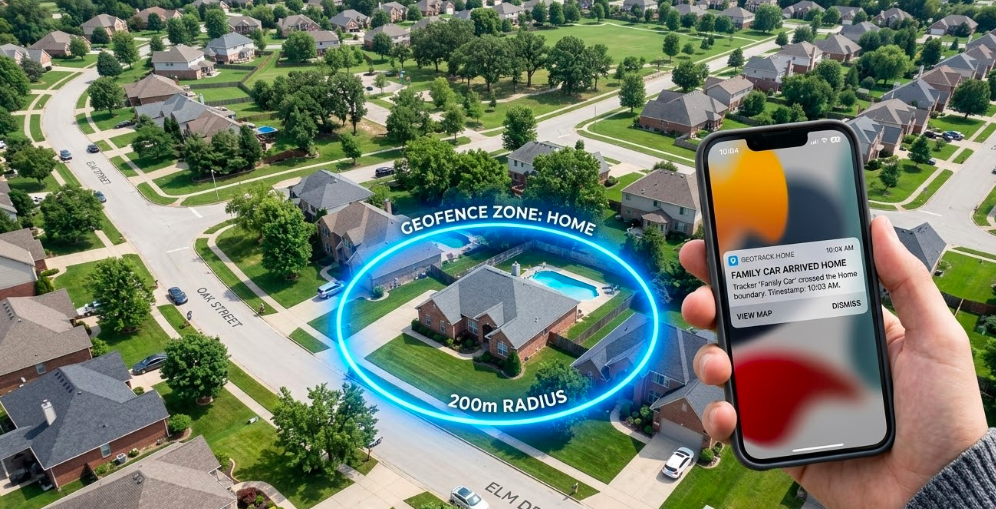
A geofence is a virtual boundary drawn on a digital map around a physical location using GPS coordinates. Think of it as an invisible tripwire that triggers an action whenever a GPS tracker crosses the line.
When a GPS tracker enters or exits a geofenced area, the tracking platform automatically:
- You get an instant alert via app, SMS, or email
- The system logs the exact time of entry or exit
- It records whether the tracker came in or went out
- Everything is saved for you to review later
Geofencing is a software feature that runs on top of GPS tracking hardware. The tracker itself doesn’t know about your geofences, it simply reports its geographic location. The geofencing system on the server does the boundary checking.
Here are some everyday examples:
- A warehouse yard, get alerted if a vehicle leaves after hours
- A school zone, know the moment your teen arrives
- A customer's address, automatically log when your technician arrives on site
- Your home, see when your family car comes and goes
In short, geofencing transforms passive location tracking into automated monitoring with real time alerts.
How GPS Trackers with Geofencing Actually Work
Wondering what happens behind the scenes when a geofence alert hits your phone? Here's the full process, broken down into simple steps.
Step 1: Position calculation: The GPS tracker receives signals from at least four Global Positioning System satellites. By measuring signal travel time, it calculates its geographical coordinates latitude and longitude with typical outdoor accuracy of 6 to 15 feet.
Step 2: Data transmission: The tracker sends this location data via cellular data networks (4G LTE in most 2026 devices) to a cloud server. Update frequency varies: 1-10 seconds for fleet vehicles, 30-60 seconds for battery-powered asset trackers.
Step 3: Boundary checking: Geofencing software on the server continuously compares the device’s location against all active geofence boundaries using geometric algorithms.
Step 4: Event logging and alerting: When the system detects a boundary crossing, it records the event with timestamp, direction, and geographical location, then triggers configured alerts.
Example in action: A delivery truck leaves your Houston depot at 7:12 a.m. Within 5-10 seconds of crossing the geofence boundary, the platform sends a push notification to the fleet manager’s phone showing “Unit 47 exited Main Depot - 7:12 AM.”
Geofence Shapes on GPS Platforms
When you set up a geofence, you get to choose its shape. Most GPS platforms offer two options, circles and polygons. Each one works better in different situations.
Circular geofences: A circle is the quickest and easiest shape to set up. You simply pick a center point and set a radius around it. It works great for:
- Home addresses
- Customer parking lots
- Service areas around a city or town
Polygon geofences: A polygon lets you draw a custom shape that follows the exact outline of a property. It takes a little more time but gives you more accuracy. It works best for:
- L-shaped warehouses or factories
- Construction sites that follow property lines
- Large campuses with multiple buildings
|
Shape |
Best For |
Setup Time |
False Alert Risk |
|---|---|---|---|
|
Circle |
Simple, regular areas |
Under 30 seconds |
Higher near busy roads |
|
Polygon |
Irregular boundaries |
1-2 minutes |
Lower with careful drawing |
The good news, you don't have to choose just one. Most platforms let you create unlimited geofences and mix both shapes freely. A popular approach is to use a tight polygon around a job site, then add a wider circle around it as a buffer zone.
GPS Tracking vs. Geofencing: How They Work Together
GPS tracking and geofencing are two different things, but they work best when used together. Here's a simple way to think about it:
- GPS tracking shows you where something is, right now and in the past
- Geofencing tells you when something crosses a boundary you care about
Without geofencing, you'd have to stare at a map all day waiting for something to happen. Without GPS tracking, there's no location data for the geofence to check against. Together, they create a system that watches for you automatically.
What GPS Tracking Gives You:
- A live dot on the map showing current position
- A trail of past locations and routes
- Full movement history you can review anytime
What Geofencing Adds on Top:
- Instant alerts when a boundary is crossed
- Automatic entry and exit logs, no manual checking
- Time-based rules like "only alert me after 6 p.m."
Real examples of both working together:
- A delivery driver arrives at a customer site then geofence logs the exact arrival time automatically
- A company truck leaves your city boundary on a weekend then you get an instant alert
- Your teenager reaches school then you get a confirmation notification without calling them
Think of GPS tracking as the eyes, and geofencing as the brain that tells you when to pay attention.
Update Frequency, Accuracy, and Delay
One of the most common questions about GPS geofencing is: how fast and how accurate is it really? Here's what you need to know.
Update frequency matters: Fleet vehicles typically update every 1-10 seconds. Battery-powered trackers update every 30-60 seconds to save power. Why does this matter? A vehicle moving at 40 mph covers nearly 300 feet in just 5 seconds. The more frequent the updates, the faster your geofence catches a boundary crossing.
Realistic accuracy ranges: In open areas, most trackers are accurate to around 6 to 15 feet. In cities with tall buildings, expect 15 to 25 feet. A quick tip, always set your geofence boundary a little larger than the actual physical boundary. This helps avoid false alerts from normal GPS drift.
Alert delivery timing: Expect 5-10 seconds between a vehicle crosses a boundary and receiving your notification. This includes cellular transmission, server processing, and push delivery. For geofencing accuracy, set your zone radius at least 26 feet larger than the actual physical boundaries to minimize false alerts from GPS drift.
Common Ways GPS Geofencing Is Used
GPS geofencing isn't just for large fleets or big companies. Fleet managers, business owners, parents, and contractors all use GPS trackers with geofencing every day to monitor vehicles, protect assets, and keep loved ones safe. Here are the most common use cases.
Fleet Management and Route Compliance
Fleet managers use geofencing to automate vehicle monitoring without constant phone calls. Geofences around customer sites automatically log technician arrival and departure times. When paired with a reliable gps plug in car tracker, this setup ensures real-time visibility without manual check-ins. If a vehicle leaves its designated service area or travels off-route, the fleet manager receives an instant alert.
Example: An HVAC company in Dallas geofences each daily service appointment. When a technician’s vehicle enters the customer’s address zone, the system automatically logs arrival time. This data feeds directly into payroll and customer engagement records without dispatcher involvement.
Route geofences can also help optimize routes by identifying patterns in delivery zones and ensuring timely deliveries to designated areas.
Job Site and Yard Security
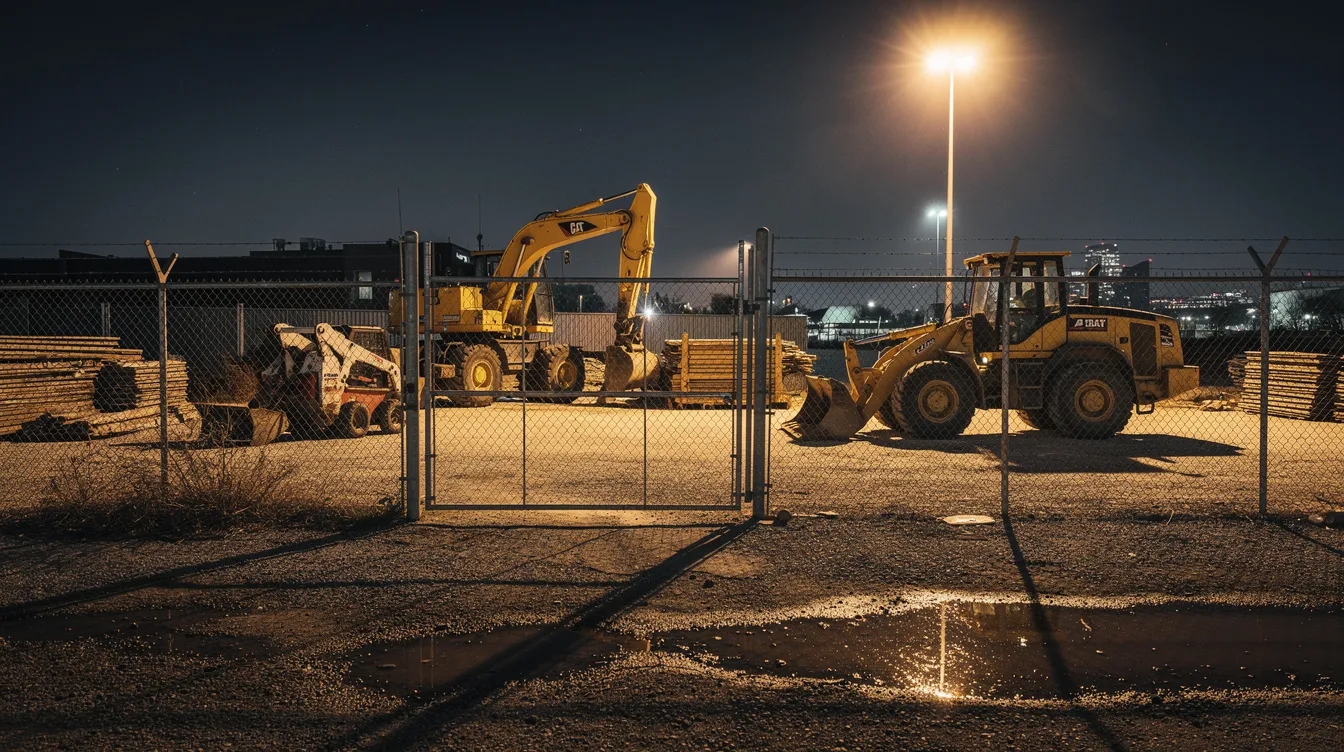
Construction companies and equipment rental businesses use time-conditioned geofences to protect valuable assets after hours. A polygon geofence is drawn around the equipment yard perimeter, with alerts activated only during evenings and weekends.
Setup approach:
- Draw polygon geofence around equipment yard perimeter
- Activate alerts only for 7:00 p.m. to 6:00 a.m. and weekends
- Configure immediate notifications to owner and site manager
Example: A skid steer with an attached GPS tracker leaves a geofenced construction site at 2:30 a.m. on Sunday. The owner receives an instant notification within seconds, enabling a call to on-site security and local police before the equipment leaves the area. Industry data shows recovery rates exceeding 90% for geofenced stolen vehicles when alerts trigger within the first hour.
Child, Teen, and Elderly Safety
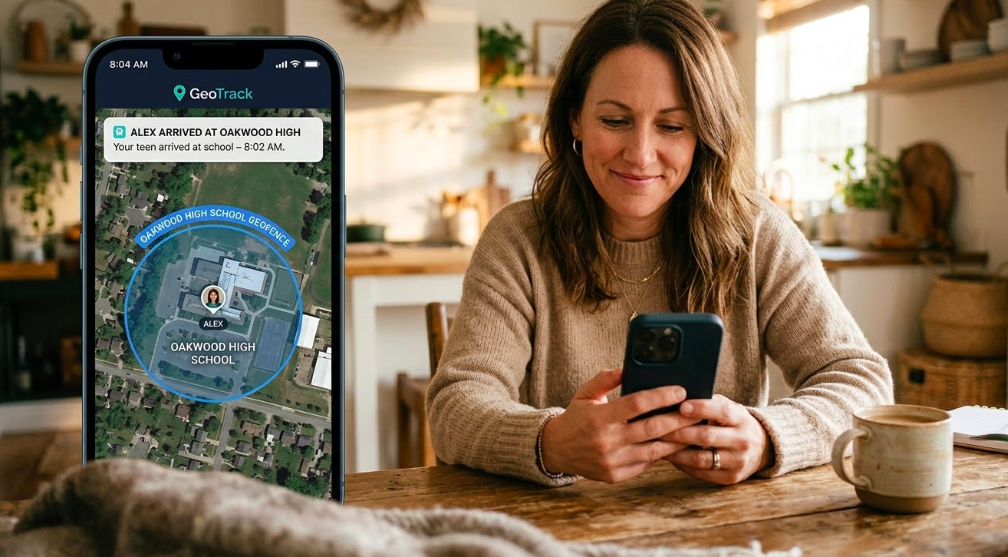
Battery-powered GPS trackers make it easier for families to stay aware of daily movements without constant check-ins. Parents can set virtual boundaries around school, home, and after-school activity locations. When a teen enters or leaves one of these zones, the system sends an instant notification. You know they’ve arrived, no follow-up needed.
Example: A parent in Seattle sets geofences around their teenager’s high school and soccer field. Each weekday, they receive alerts confirming an 8:00 a.m. arrival and a 5:15 p.m. departure after practice.
For elderly family members, caregivers often create safe zones around the home and familiar walking routes. If someone moves beyond those areas, an alert comes through immediately, allowing a quick response before the situation escalates.
Asset and Equipment Protection
GPS trackers with geofencing protect trailers, generators, shipping containers, and high-value tools from theft and unauthorized movement.
Key implementations:
- Cargo trailers geofenced at warehouse yards
- Portable generators tracked at job sites
- Toolboxes and equipment cases monitored during transport
Example: A 20-foot cargo trailer sits in an Atlanta warehouse yard. A geofence matches the property perimeter. At 3:15 a.m., the trailer moves toward the exit, the owner’s phone buzzes with an alert before the trailer reaches the street.
Long-life asset trackers balance battery preservation with effective detection. Even slower update rates catch movement early compared to discovering missing equipment hours or days later.
How to Set Up a Geofence on a GPS Tracking Platform
Most GPS tracking platforms make geofence creation straightforward through a map based interface. Whether using web dashboards or mobile apps, you can create a functional geofence in under a minute with no technical skills required.
The process involves four steps: locating your target on the map, drawing the zone, naming it clearly, and configuring your alert preferences.
Step 1: Draw Your Zone on the Map
Open your GPS dashboard and search for the location you want to geofence. Then choose, your shape a circle for simple areas, or a polygon for irregular property shapes.
- For a circle: click the center point and drag outward to set your radius
- For a polygon: click around the edges of the property to trace its outline
- Add a 50-100 foot buffer beyond the actual boundary to avoid false alerts from GPS drift
Pro tip: zoom in close on the map so your geofence lines up with driveways, fences, or building edges, not the road next to it.
Step 2: Name and Color-Code the Geofence
Give each zone a clear, specific name so you always know which alert is which, especially when you're managing multiple locations.
Good naming examples:
- "Main Warehouse - Phoenix"
- "Job Site #456 - Oak Street"
- "Customer: ABC Corp - Dallas"
- "Grandma's House - Safe Zone"
Color-Coding by category:
- Blue: Company facilities and depots
- Green: Customer locations
- Red: Restricted or high-security areas
- Yellow: Family safe zones
Consistent organization simplifies reports and the live map view, especially for operations managing dozens of vehicle locations and specific zones.
Step 3: Set Up Your Alerts
Decide when and how you want to be notified. Most platforms give you three trigger options:
- Entry only: Alert when something arrives
- Exit only: Alert when something leaves
- Both: Log every movement in and out
You can also set a time schedule so you only get alerts when it matters:
- Business hours only for customer sites
- Evenings and weekends for security zones
- School hours only for child safety fences
And choose who gets notified:
- Push notification to your phone
- SMS to a manager on site
- Email to your operations team
Step 4: Reduce Alert Fatigue with Smart Filters
Getting too many alerts is just as bad as getting none, you start ignoring them. Here's how to keep your notifications useful:
- Only alert if a vehicle is outside a zone for more than 10 minutes
- Ignore routine morning departures you already expect
- Log all job site entries quietly, only alert on after-hours exits
- Alert if a vehicle leaves a customer site in under 5 minutes (possible missed appointment)
The goal is simple: get notified when something unusual happens, not every time a driver does their normal route.
Conclusion
GPS trackers with geofencing do one thing really well, they notify you the moment something moves beyond a boundary you care about. No constant map-watching. No phone calls to check in. Just a simple alert when it matters. Whether you're a parent wanting to know your teen arrived at school safely, a fleet manager tracking dozens of vehicles, or a contractor protecting equipment on a job site, geofencing turns your GPS tracker from a passive tool into an active security system.
Getting started is easier than most people expect. Set up 3 to 5 key zones first, your home, workplace, a school, or a job site. Refine your alert settings over the first week. Once you see how it works in real life, adding more zones takes just a minute each.
Ready to set up your first geofence? Lightning GPS trackers include built-in geofencing on all plans, no complicated setup, no technical skills needed. Just draw your zone and let the system do the rest.
FAQ
What is geofencing in a GPS tracker and how does it work?
Geofencing is a feature that allows you to draw a virtual boundary on a digital map using GPS coordinates.
When a GPS tracker enters or exits that defined area, the system automatically detects the movement and sends an alert to your phone, email, or app. It works by continuously comparing the device’s real-time location against your predefined zones using cloud-based software.
Is GPS Geofencing Legal and What About Privacy?
Yes, in most cases, geofencing is completely legal when used on vehicles and assets you own. If you're tracking employees, you should include a clear location tracking policy in their employment agreement. For family use, open communication is always the best approach. Laws vary by country, so if you're operating across borders, it's worth checking local regulations.
Does Geofencing Work Indoors or in Cities?
GPS works best outdoors with a clear view of the sky. Inside buildings, the signal can weaken or drop temporarily. The good news is that most geofence boundaries, like a driveway, gate, or parking lot entrance, are crossed outdoors, so alerts usually fire before a vehicle moves indoors. In dense cities, expect accuracy of around 15 to 25 feet due to signal bounce off tall buildings.
How accurate are GPS trackers with geofencing in real-world conditions?
In most real-world conditions, GPS trackers are accurate within 6 to 15 feet in open areas and around 15 to 25 feet in urban environments with tall buildings.
Accuracy can vary slightly due to signal interference or reflection. To reduce false alerts, it’s recommended to set your geofence boundary slightly larger than the actual physical location.
How many geofences can I create on a GPS tracking platform?
Most modern GPS tracking platforms allow users to create multiple, and often unlimited, geofences depending on the subscription plan.
You can mix circular and polygon shapes and assign different alert rules to each zone, making it easy to manage multiple locations like job sites, homes, and customer addresses.
Posted by Kellie Kendall on Mar 26th 2026